Odoo 18.0 · 18.0.1.0.1
Licence: OPL-1 · Revision: 4725d64118b0
Hide Sales Margins | Odoo 18.0

Hide Sales Margins
Secure Your Sales Data with Role-Based Access Control
Introduction to Hide Sale Margin
Control Margin Visibility with Ease
The Hide Sale Margin module for Odoo 18 empowers businesses to restrict access to sensitive sales margin data (margin, margin percentage, and purchase price) based on user roles. By leveraging Odoo’s security groups, only users with the 'Margin Manager' role can view margin-related fields, ensuring financial data privacy for your team. Perfect for Pakistani businesses and global enterprises seeking granular control over sales data.
This module is lightweight, easy to configure, and integrates seamlessly with Odoo’s sales workflow, making it an essential tool for businesses prioritizing data security and compliance.
Why Choose Hide Sale Margin?
Enhanced Security
Restrict margin visibility to authorized users only, protecting sensitive financial data.
Seamless Integration
Works effortlessly with Odoo 18’s sales and margin modules.
Role-Based Access
Assign margin visibility to specific users via the Margin Manager group.
Key Features
Powerful Functionality for Data Control
Hide Margin Fields
Conceal margin, margin percentage, and purchase price from non-authorized users.
Security Group Control
Restrict access using the 'Margin Manager' security group for precise user management.
Easy Configuration
Quick setup with minimal changes to existing Odoo sales workflows.
Odoo 18 Compatible
Fully compatible with Odoo 18 Community and Enterprise editions.
Configuration Guide
Setting Up Margin Restrictions
Configure the module in Odoo by assigning the 'Margin Manager' security group to users who should view margin data. Non-authorized users will not see margin, margin percentage, or purchase price fields in sales orders or reports.
Steps to Configure
- Go to **Settings** > **Users & Companies** > **Groups**.
- Search for “Margin Manager” under the “Show Margin” category.
- Add users who need access to margin fields to the “Margin Manager” group.
- Verify that margin fields are hidden for users without the group in **Sales** > **Orders**.
Version Information
Built for Odoo 18
Current Version: 18.0.1.0.1
Released: May 2025
Compatibility: Odoo 18 Community and Enterprise editions
This module is actively maintained and not an official Odoo module.
Screenshots
Explore the Module in Action
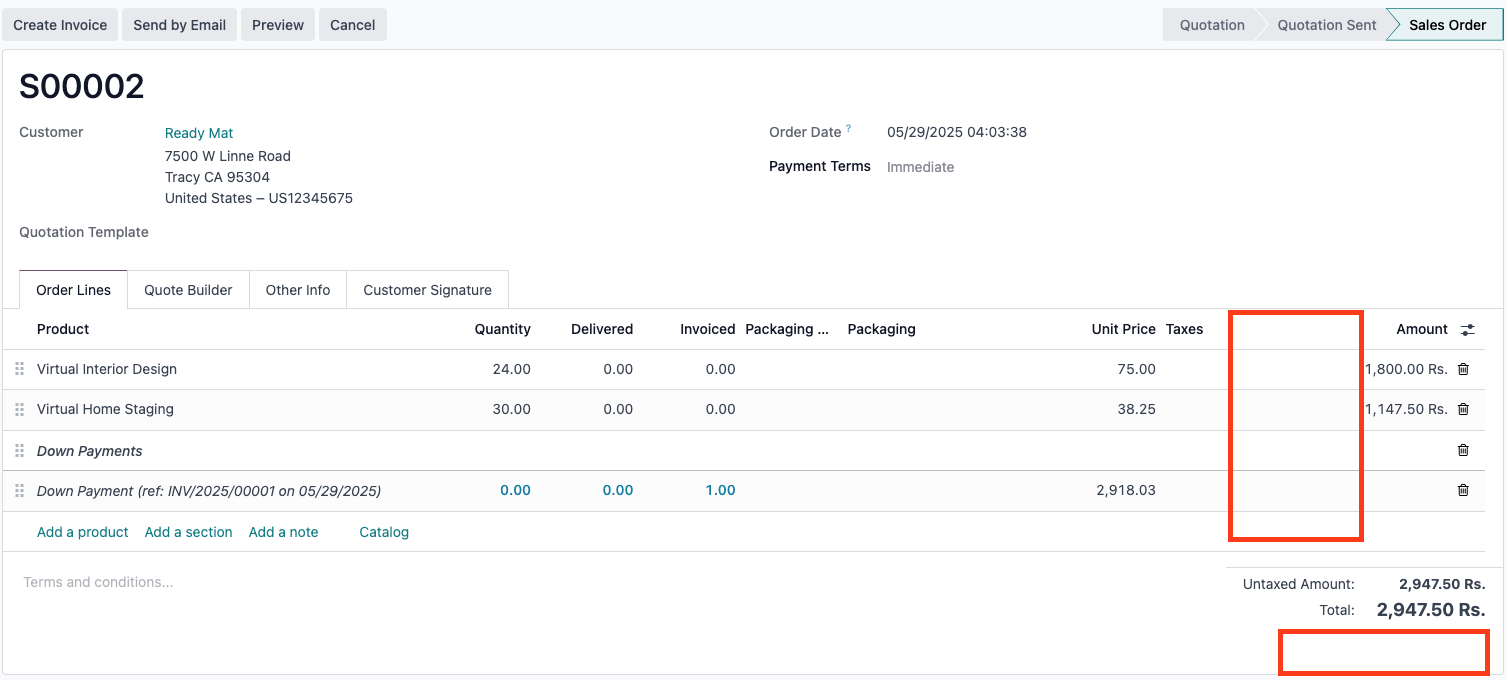
Margin Hidden for Non-Authorized Users
Margin fields are invisible to users without the Margin Manager group.
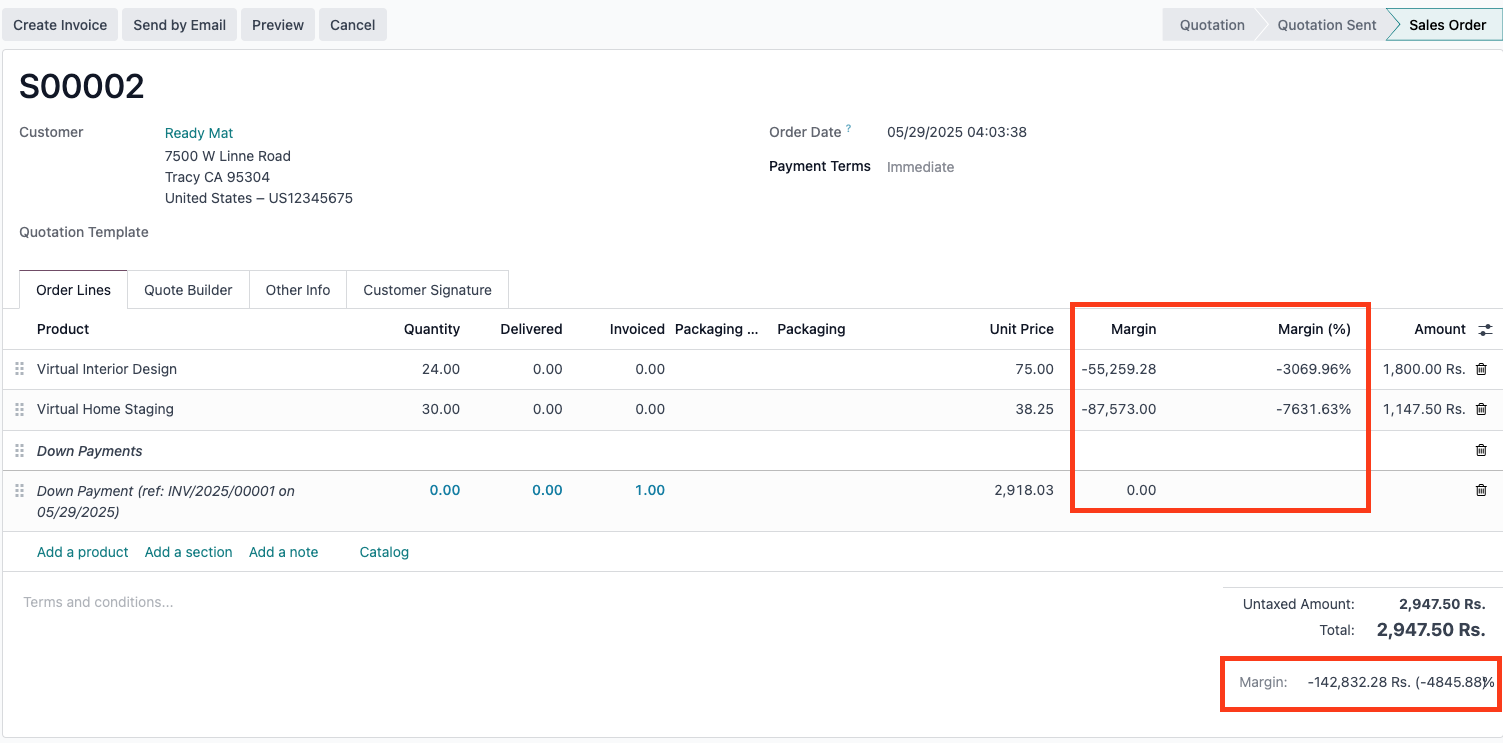
Margin Visible for Authorized Users
Users in the Margin Manager group can view margin, margin percentage, and purchase price.
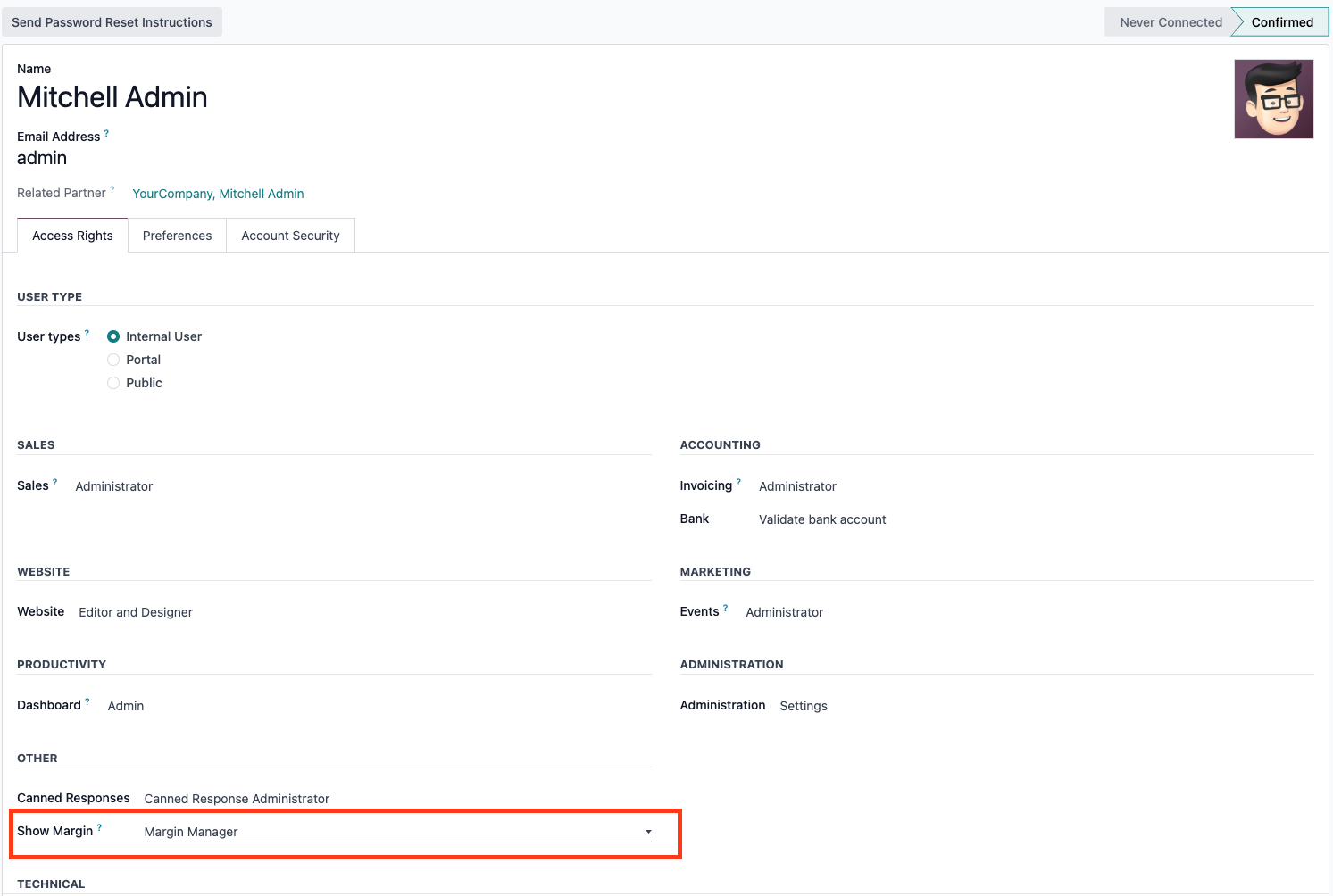
Security Group Configuration
Assign users to the Margin Manager group in Odoo settings.
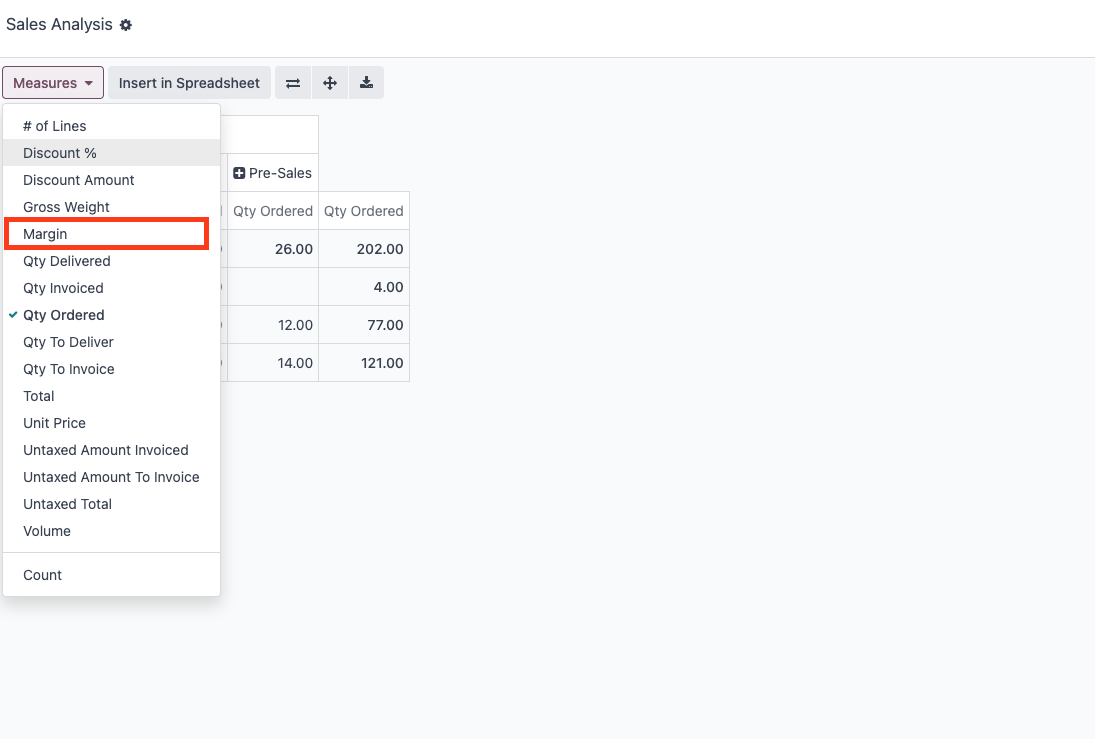
Margin Visible for Authorized Users in Sale Report
Assign users to the Margin Manager group in Odoo settings.
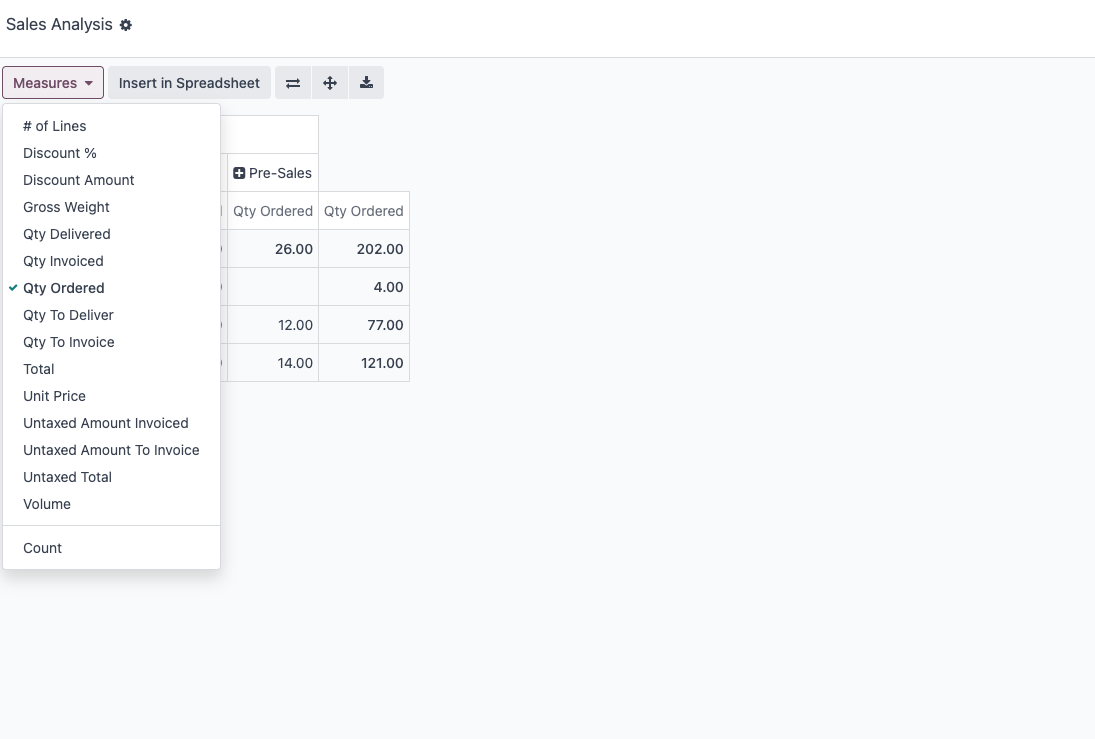
Margin Hidden for Non-Authorized Users in Report
Users in the Margin Manager group can view margin in sale analysis pivot report.
Support
We’re Here to Help
Need assistance with the Hide Sale Margin module? Contact our dedicated support team:

Send email to get support.
Send Message on WhatsApp!