Odoo 20.0 · 20.0.1.0.1
Licence: OPL-1 · Revision: 273c56f5fe61
Installing this selected version
This selection is for Odoo 20.0. Install this app and its required dependencies in the addons directory configured for your Odoo 20.0 server, using the same Odoo version for each app.
Source module notes
Weighbridge Tickets for Odoo 20
Turn vehicle readings into clear load records
Give your yard desk a numbered record of each vehicle load. Record gross and tare, compare the net weight with the declared load, and keep every correction traceable.
For commodity traders, recycling yards and bulk-material depots using Odoo Inventory.
Flexible weighing
Use a known empty-vehicle tare or record two passes. Start with the gross or tare reading and display kilograms or tonnes.
Retained corrections
Final readings are locked. Managers can void a ticket or create a linked replacement with a mandatory reason. Original readings remain available.
Reviewed inventory demand
Link one receipt or delivery move. Review the converted net weight before explicitly replacing eligible move demand. Native Inventory still handles transfer validation.
A straightforward desk workflow
1. Identify the load. Enter the vehicle, driver, partner and source note.
2. Record the reading. Enter known tare or lock the first pass and complete the second.
3. Finalize and review. Compare gross, tare, net and declared variance.
4. Update eligible demand. Review the proposed native transfer demand before applying the net weight.
Every load in context
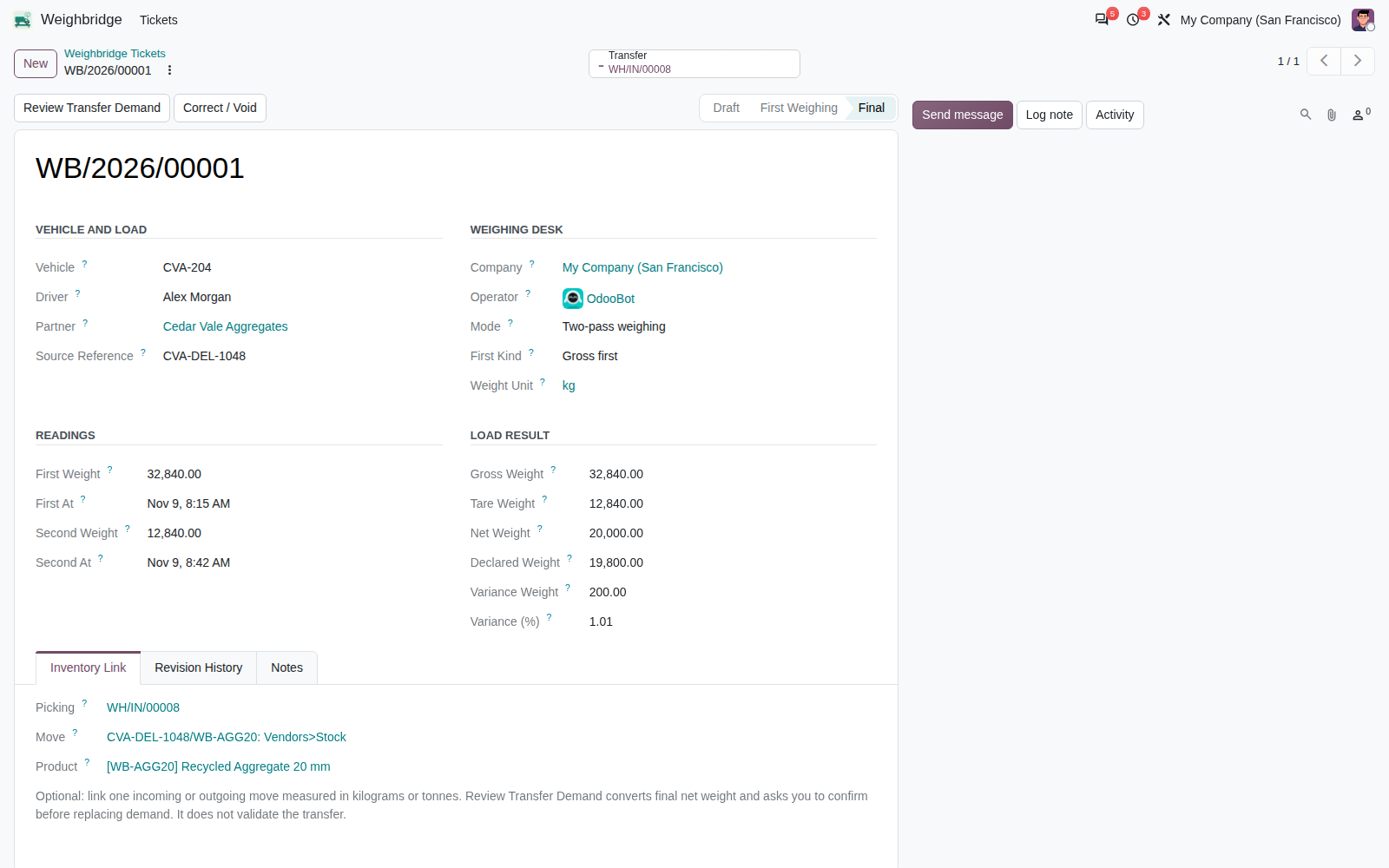
The principal ticket brings vehicle details, readings and declared variance together. The transfer and revision history remain close at hand.
A useful yard register
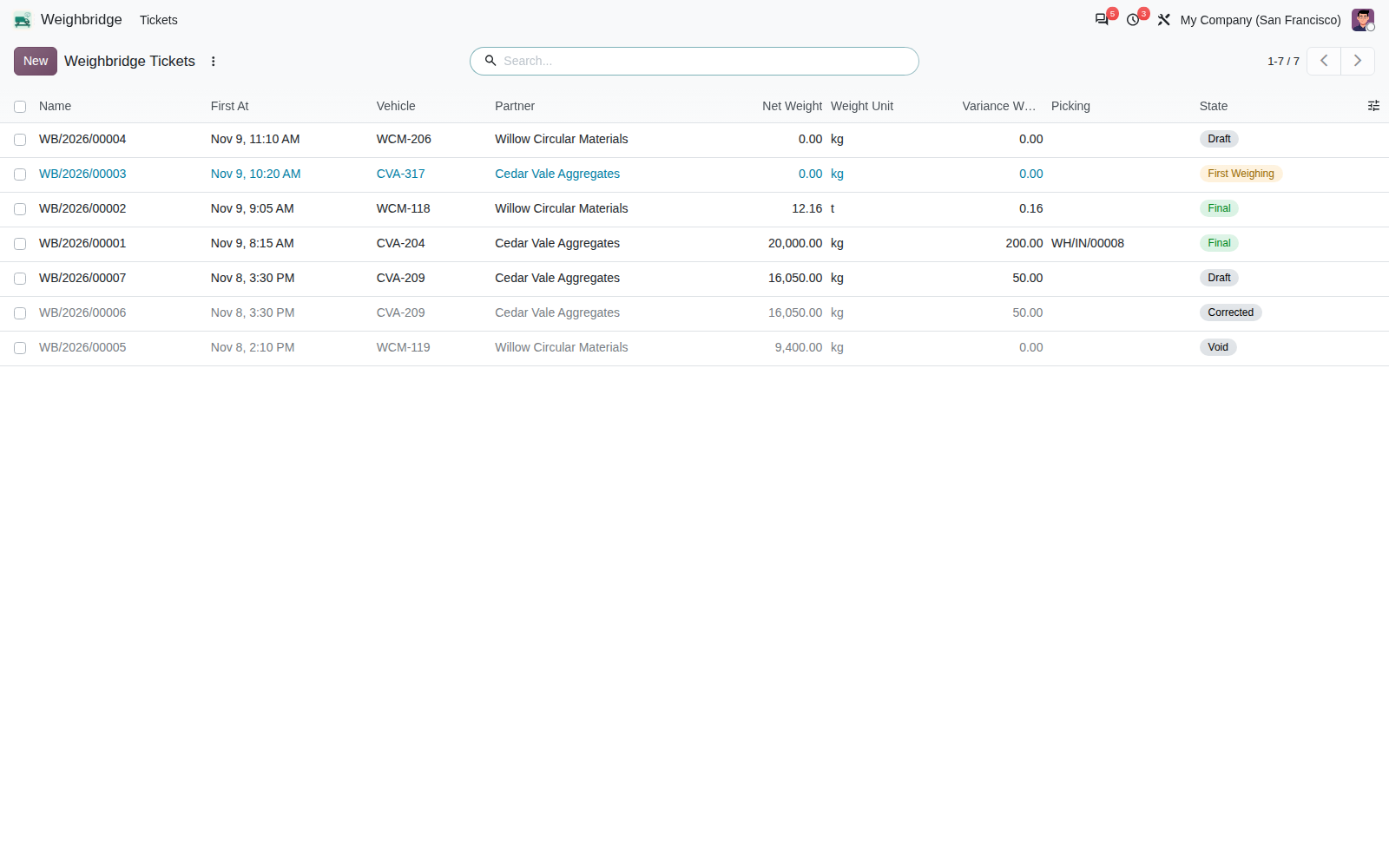
Find tickets by vehicle, partner or delivery note. Filter waiting second readings, final tickets, declared variances and corrected or void records.
A numbered report for the load
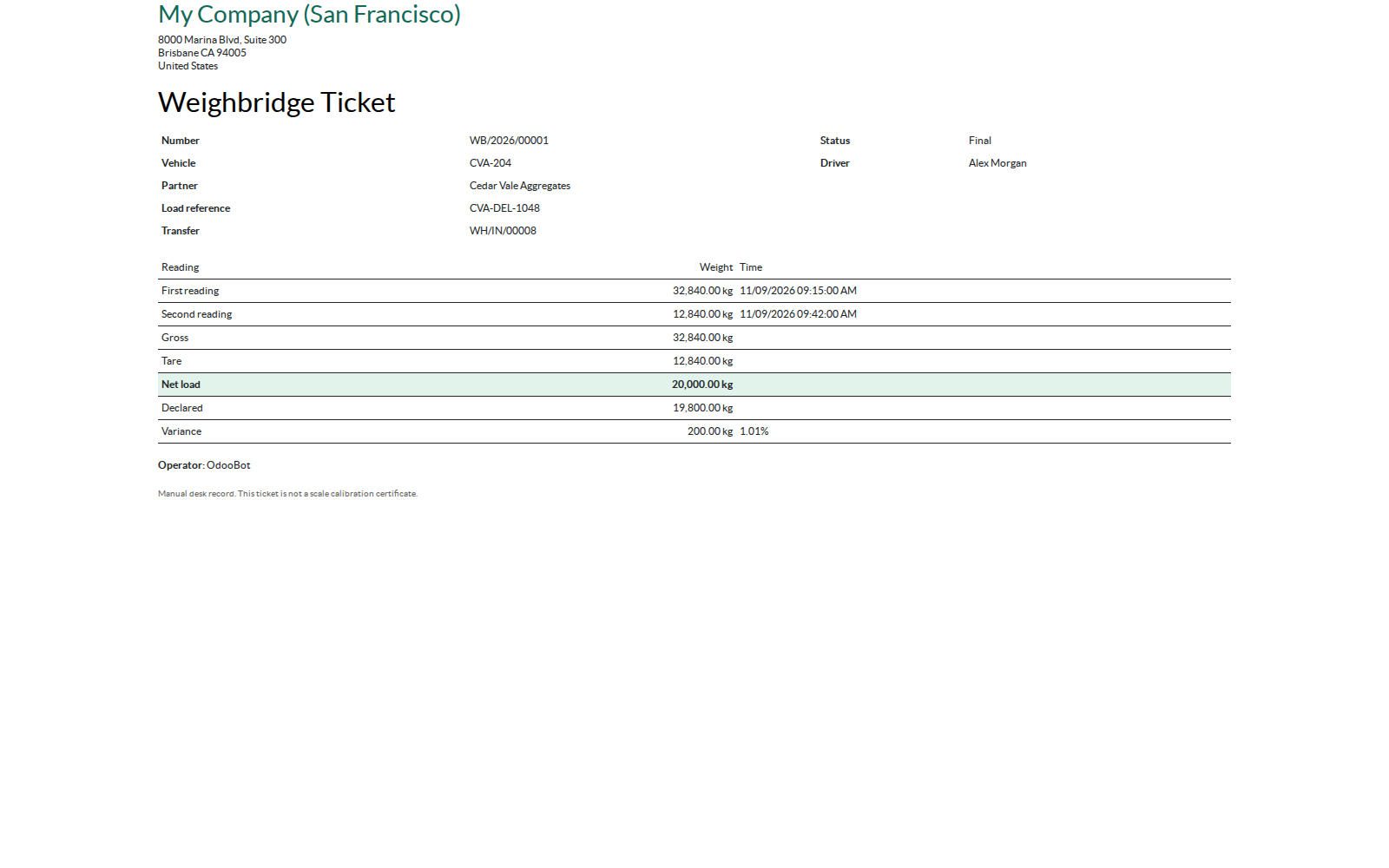
The ticket includes company, vehicle, driver, source reference, measurement times, weights and status. Historical or unfinished tickets are clearly identified. Native HTML report rendering has been verified. The PDF action uses A5 paper and requires a working Odoo PDF engine; server PDF output has not been qualified in the tested environment.
Installation and roles
Install Weighbridge Tickets and its standard Inventory and Discuss dependencies. Assign Weighbridge Operator or Manager access in Settings. A ticket sequence is supplied; demonstration records are optional.
Operators record readings, finalize tickets, print and review eligible move demand. Managers also correct or void tickets and remove unused drafts.
Version and scope
Tested on Odoo 20.0 Enterprise: installation with and without demo data and focused workflow and access checks passed. Dependencies are standard Community addons; a Community runtime has not been qualified.
Manual entry only. Kilograms and tonnes are supported. There is no scale hardware connector, automatic transfer validation, stock valuation change or financial posting.
Frequently asked questions
Can I weigh without an inventory transfer?
Yes. Transfer links are optional, so the ticket also works as a standalone manual yard record.
What can the quantity review update?
One draft or unreserved waiting/confirmed incoming or outgoing move in kilograms or tonnes, without operation lines or lot/serial tracking. Separate truckloads require separate moves. The action replaces demand; it does not enter a completed quantity.
What happens if a finalized reading is wrong?
A manager records the reason and creates a replacement ticket. The original is marked Corrected. Voiding or correcting never silently reverses a previously applied inventory demand.
Does the ticket certify the weighing equipment?
No. It records manually entered weights and does not certify scale accuracy or provide legal metrology compliance.
Where are the instructions?
The addon includes a complete English RST manual and portable Markdown user guide with setup, worked examples, correction paths and troubleshooting.
Corvus Nexus Technologies LTD
Support: support@corvusnexus.com