Odoo 20.0 · 20.0.1.0.1
Licence: OPL-1 · Revision: 273c56f5fe61
Installing this selected version
This selection is for Odoo 20.0. Install this app and its required dependencies in the addons directory configured for your Odoo 20.0 server, using the same Odoo version for each app.
Source module notes
Equipment Commissioning for Odoo 20
Know which delivered equipment is ready for service
Keep the delivered serial, installation checks, repeat attempts and approved handover together in Odoo.
For equipment distributors and installation teams who need a clear record between delivery and operation.
One serial, one history
Create or reopen commissioning records directly from completed serialized customer deliveries. Repeated actions reuse existing records.
Keep every attempt
Capture readings with units and inclusive limits. Failed checks, corrective findings and subsequent attempts remain visible.
Approve with evidence
A manager approves the in-service date after a passed latest attempt, matching maintenance equipment and retained handover documents.
A practical commissioning workflow
- Complete a serialized customer delivery in Inventory.
- Choose the installation site, responsible engineer and reusable test profile.
- Record checks, submit results and repeat failed tests after corrective work.
- Link native maintenance equipment and upload the handover evidence.
- Approve the in-service date and print the commissioning evidence report.
See the equipment and its test history
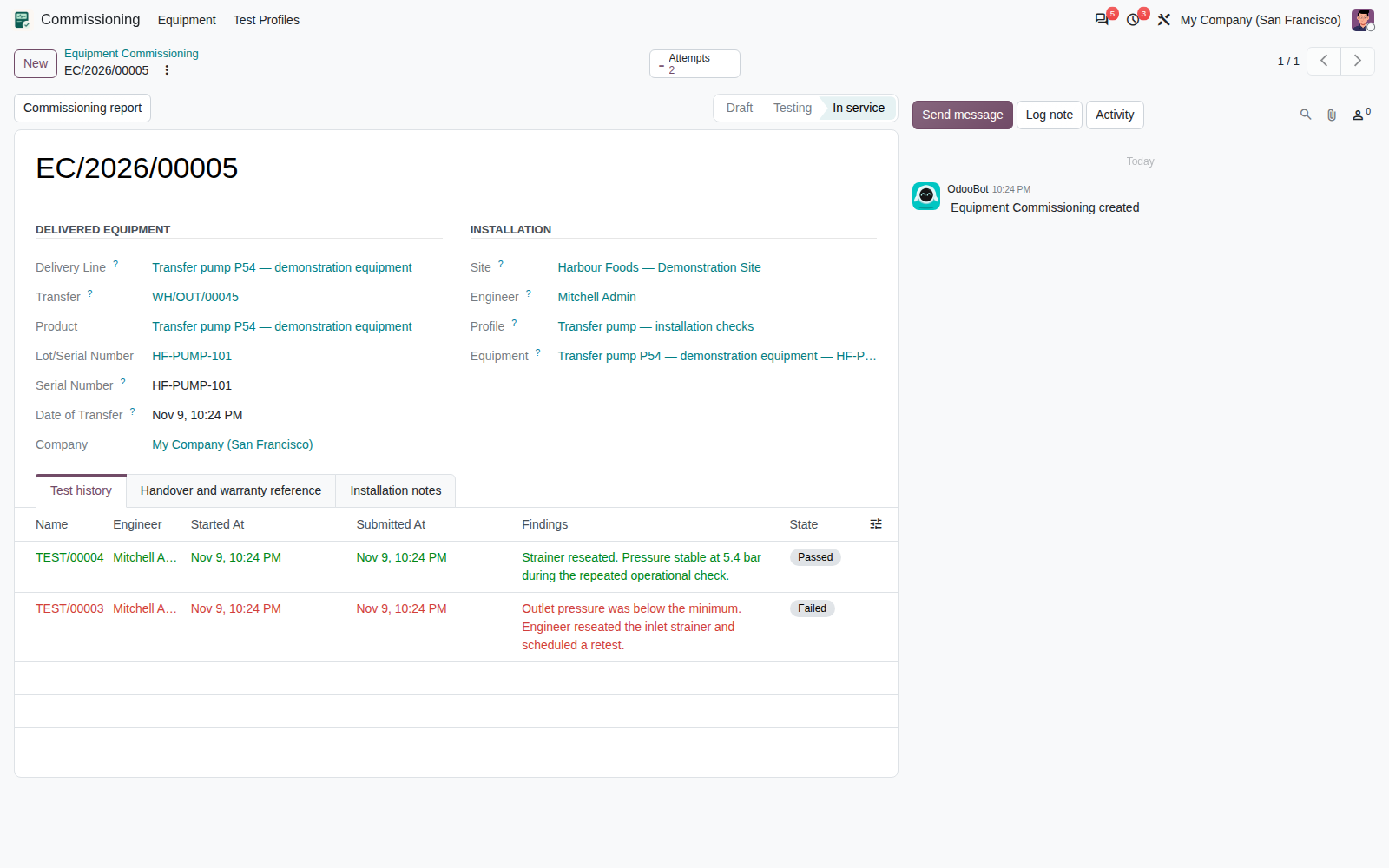
Native forms bring the delivery, serial, installation site, engineer and attempts into one record. Submitted attempts retain the original check definitions and limits.
Find the next item to complete
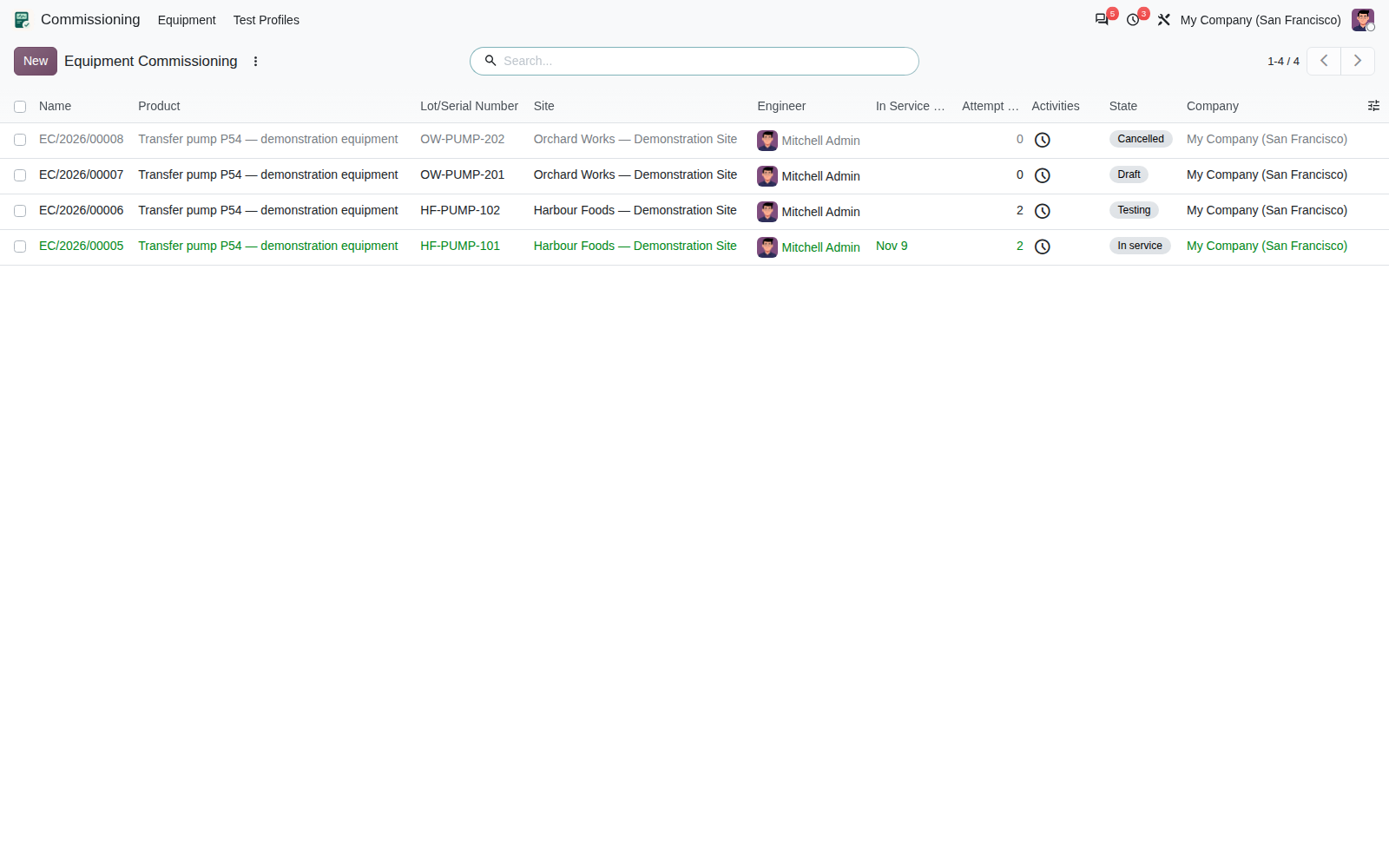
Filter draft, testing, in-service and cancelled records. Search by serial or site and group the work by engineer, status or company.
Share a complete commissioning record
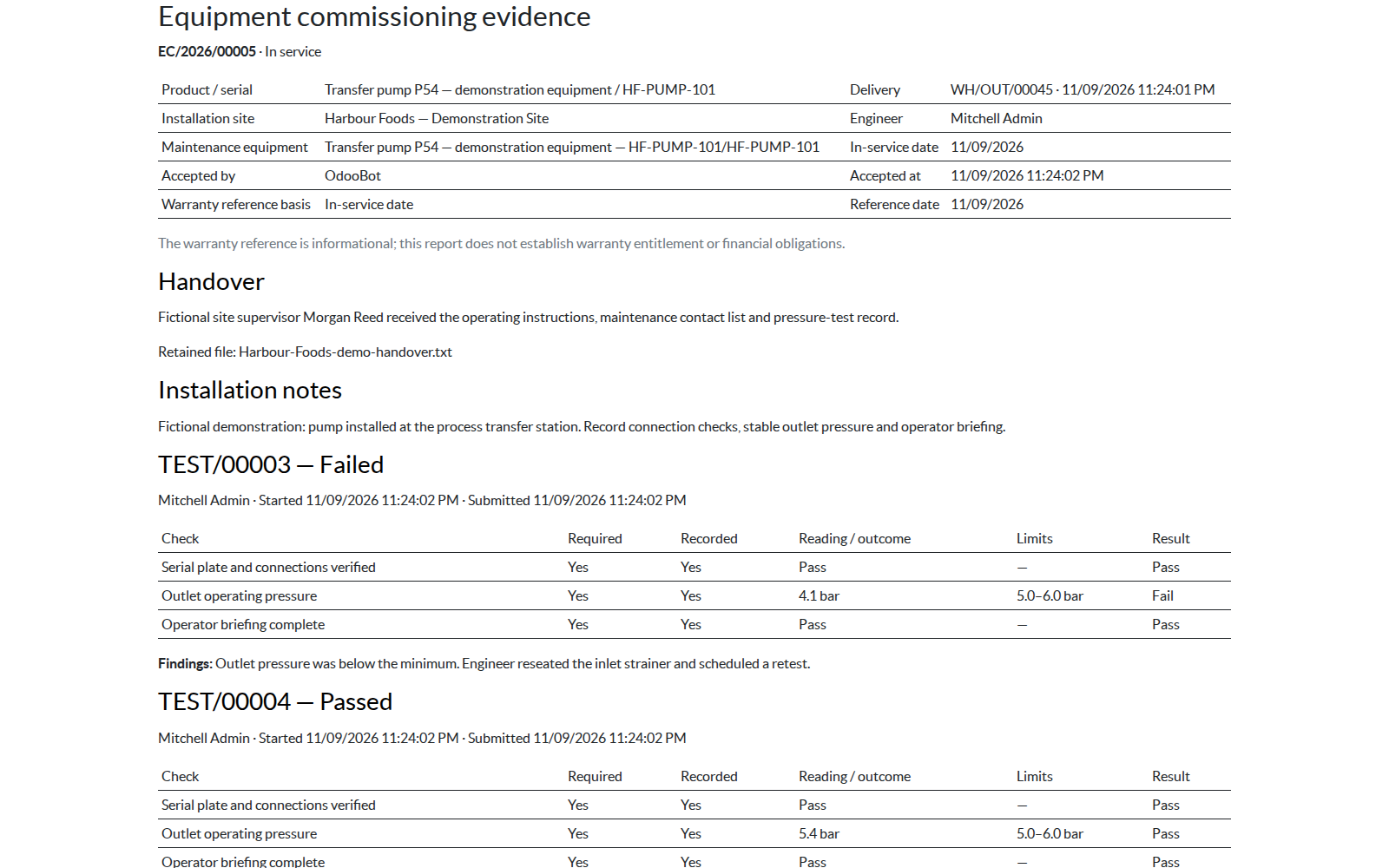
The native report includes installation identity, acceptance details, handover summary and all recorded attempts. Unaccepted records are clearly marked.
HTML report rendering is verified. Server PDF output requires a working native Odoo PDF engine in your deployment. PDF output was not qualified in the tested runtime.
Included
- Explicit creation from completed customer deliveries
- Reusable profiles with required inspections and measured limits
- Preserved failed and passed attempts
- Manager-controlled acceptance, cancellation and resume
- Native maintenance equipment links
- Retained handover uploads and native evidence reports
- Delivery, in-service or manual warranty-start reference
- Company access rules, chatter and activities
- English manual and worked user guide
Installation and roles
Designed for Odoo 20.0 with standard Inventory, Maintenance and Discuss/mail dependencies. Install the app, assign Engineer and Manager roles, then review the included general handover profile.
No external service account or hardware connection is required. Optional fictional demo data illustrates a failed pressure check, successful retest, accepted handover and pending work.
Tested on Odoo 20 Enterprise, including installation with and without demo data and focused workflow checks. Community edition has not been qualified.
Clear scope
This app records manual commissioning evidence. It does not provide Field Service scheduling, hardware acquisition, billing, digital signatures or warranty adjudication. The warranty date is a reference only. One commissioning history is retained per serial and company; relocations and independent repeat commissioning episodes are outside this workflow.
Questions before installing
Can an engineer approve a handover?
Engineers record tests and prepare evidence. A commissioning manager approves the in-service date after the required checks pass.
What happens when a test fails?
Keep the failed result, document the corrective work and start another attempt. Earlier submitted evidence remains unchanged.
Does acceptance create a warranty contract or invoice?
No. The date is informational. No financial document is created or posted.
Can accepted readings be edited?
Submitted attempts and accepted commissioning details are locked. Before acceptance, corrections are recorded in a new attempt.
Will an upgrade replace our checklist?
Normal upgrades preserve edits to the supplied reference profile and sequences. Every attempt also retains its own copied checks.
Corvus Nexus Technologies LTD
Setup and product support: support@corvusnexus.com