Odoo 20.0 · 20.0.1.0.2
Licence: OPL-1 · Revision: 273c56f5fe61
Installing this selected version
This selection is for Odoo 20.0. Install this app and its required dependencies in the addons directory configured for your Odoo 20.0 server, using the same Odoo version for each app.
Source module notes
Container Delay Costs for Odoo 20
See the cost of every extra day.
Keep terminal storage and empty-container return deadlines together, with separate clocks, agreed free days and stepped daily rates.
Container Delay Costs helps freight coordinators explain estimates and match actual charges to existing Odoo vendor-bill lines.
One focused workflow
Record discharge → track pickup → approve extra free days → record empty return → reconcile actual costs.
Native forms, activities, calendar and printable cost summaries.
Two distinct clocks
Demurrage runs from discharge to pickup. Detention runs from pickup to empty return, each with its own schedule.
Explain every estimate
Explicit local dates, inclusive or exclusive start-day counting, free time and consecutive daily-rate tiers.
Keep bill evidence
Allocate each posted vendor-bill or credit-note line once. Compare untaxed actual costs with the estimate.
Follow the shipment from discharge to empty return
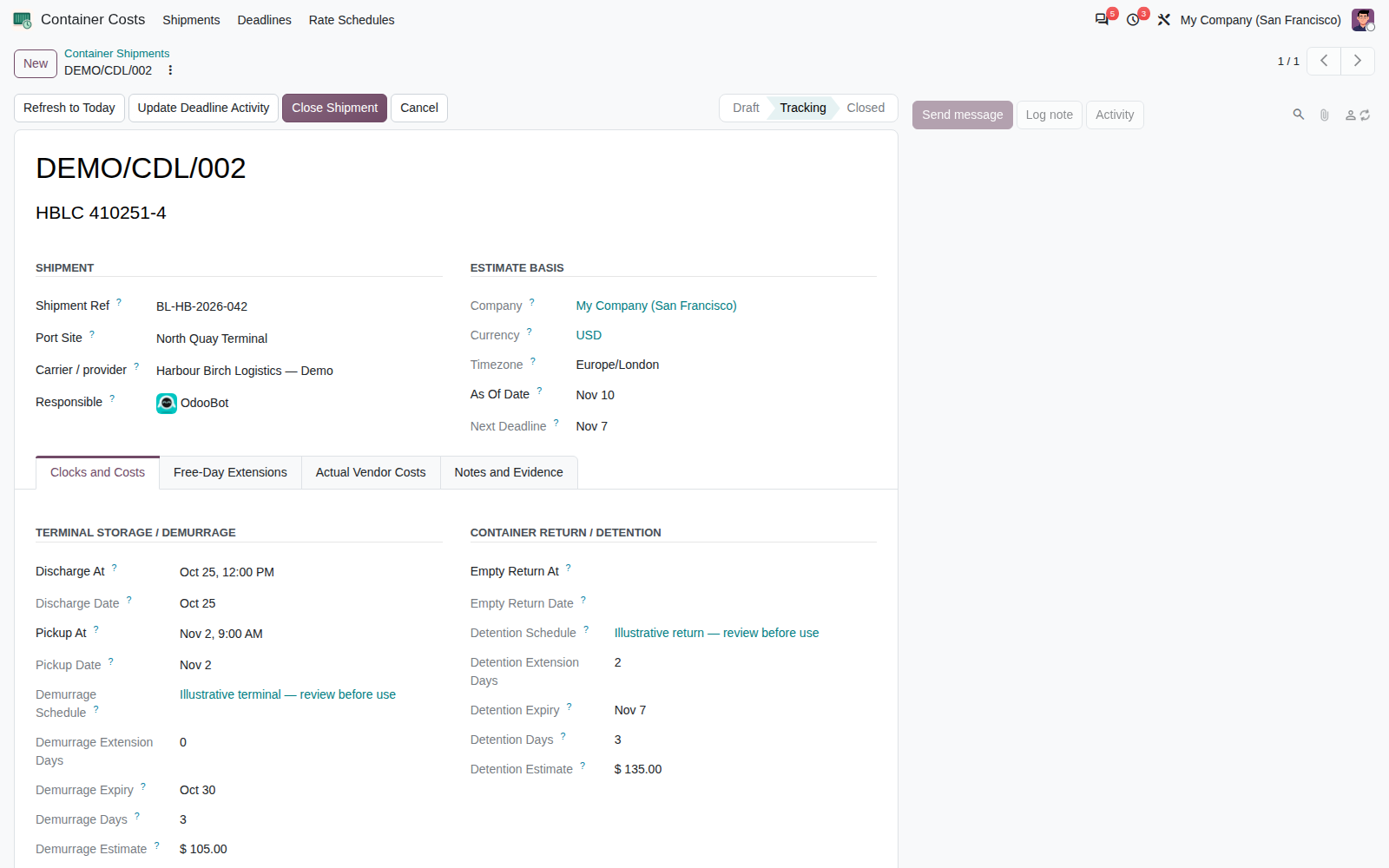
Keep milestones, free-time expiry, the estimate cutoff and both cost clocks on the principal shipment form. Manager-approved extensions change the relevant clock and retain decision history.
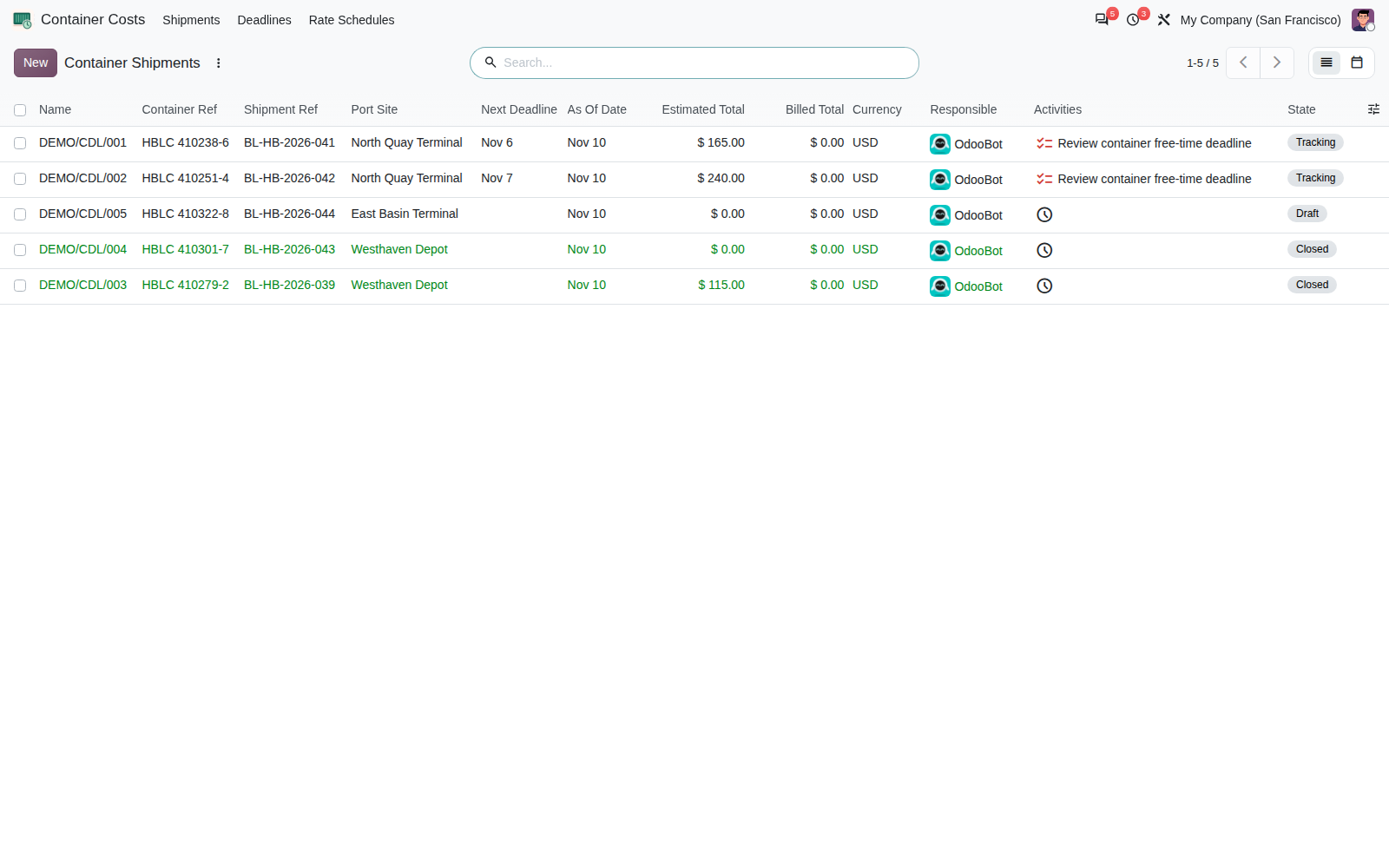
Find the containers that need attention
Search by container or shipment reference. Filter awaiting pickup, awaiting empty return, and bill lines that need review. The deadline calendar and assigned native activity show the next open free-time expiry.
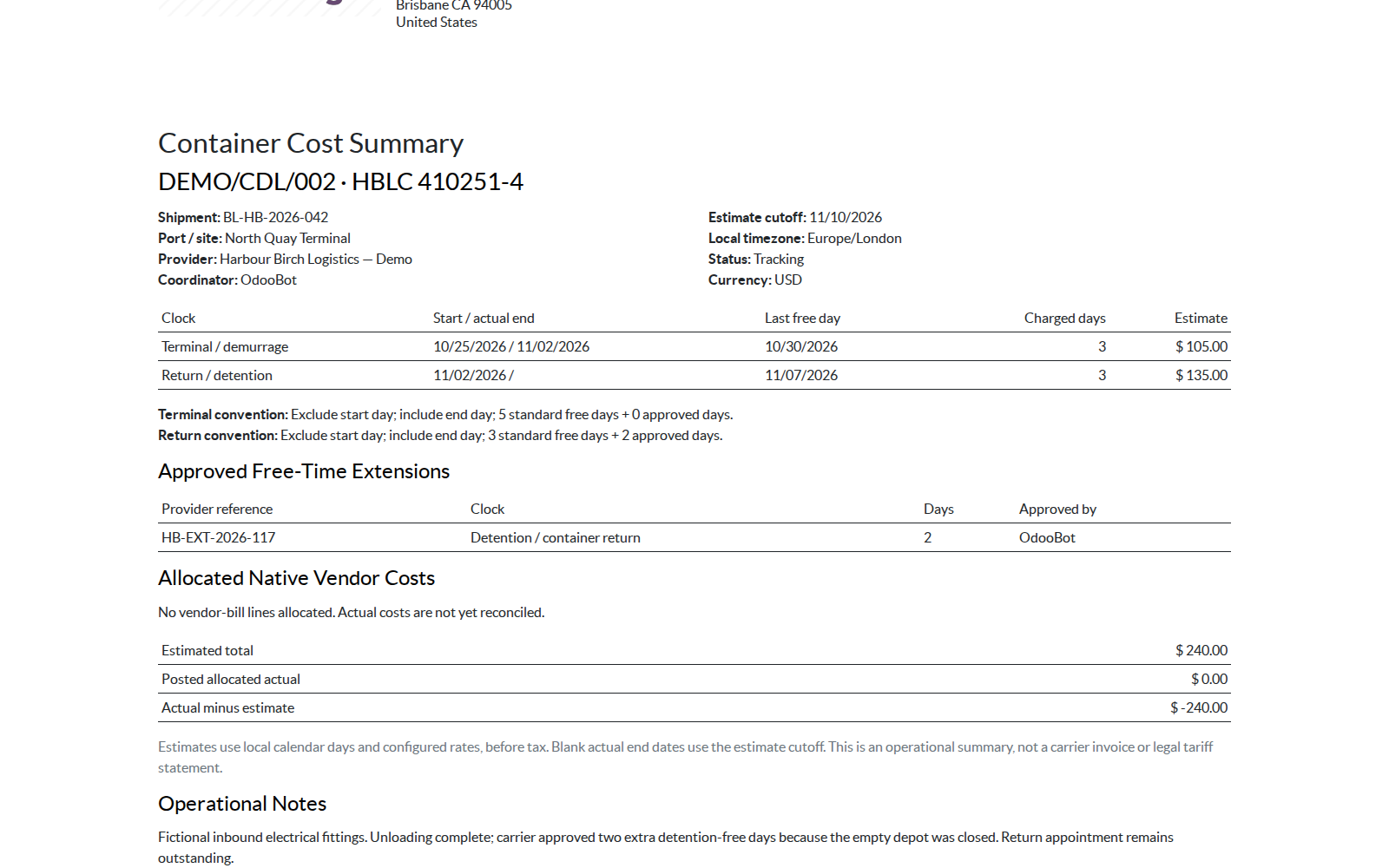
Share a clear container cost summary
Print local milestone dates, counting conventions, approved extensions, estimates and allocated actual costs. Each container keeps its own currency and a transparent actual-minus-estimate variance.
Set up with control
- Install on Odoo 20 with standard Accounting and Discuss dependencies.
- Assign Coordinator and Manager roles by company.
- Review the illustrative tariffs or create the provider's agreed schedules.
- Choose the port/site timezone and enter the actual discharge.
- Start tracking and refresh the explicit estimate cutoff as needed.
Designed for operational review
- Consecutive stepped rates with a final open-ended tier.
- Approved, rejected and revoked extension history.
- Company-isolated records and server-enforced workflow.
- Immutable used tariff versions; duplicate for a new agreement.
- Native vendor-bill selection with existing Accounting permissions.
- English RST manual and portable user guide included.
Requirements and scope
Version: Odoo 20. Dependencies: mail and account. Tested on Odoo 20 Enterprise: installation with and without demonstration data, focused workflow and access checks, and HTML report rendering. Community has not been qualified.
PDF output requires a working native Odoo PDF renderer. PDF rendering has not been qualified because the test environment had no available PDF engine.
This app estimates local calendar-day charges. It does not provide carrier connectivity, automatic bills, automatic posting, holiday calendars, partial-day rounding, currency conversion, route planning or legal tariff certification. Actual costs allocate a whole native bill line in the shipment currency.
Questions before you start
Does the estimate advance automatically?
No. The cutoff is explicit. Use Refresh to Today to advance an open clock; actual pickup and return stop the relevant clock.
Can extra free days require approval?
Yes. Coordinators request extensions and managers approve, reject or revoke them. Pending requests do not reduce the estimate.
Does this create or post vendor bills?
No. Financial documents stay in native Accounting. A manager with Accounting read access links an existing posted product line once; vendor credits reduce actual costs.
What happens if a linked bill is reset to draft?
The allocation stays visible with a warning and contributes zero until the native bill is posted again. The original accounting document remains authoritative.
Are the supplied rates carrier tariffs?
No. They are illustrative configuration. Review the provider's actual agreement, timezone and day-counting rules before operational use.
Corvus Nexus Technologies LTD
Support for setup, workflow questions and product issues.
support@corvusnexus.com