Odoo 15.0 · 15.0.1.0.0
Licence: Other proprietary · Revision: c20545182bbf
CRM Stage Validation | Odoo 15.0
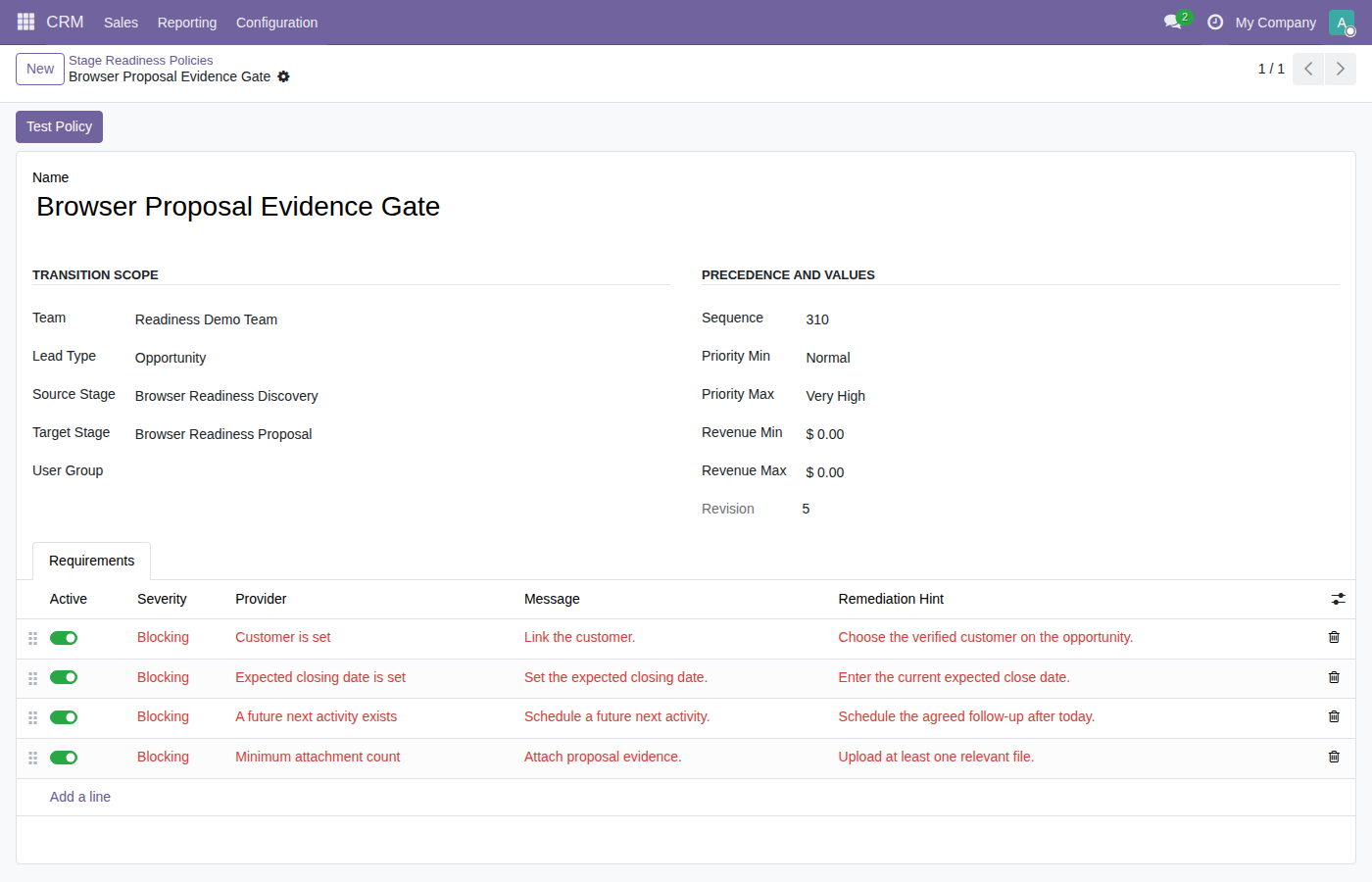
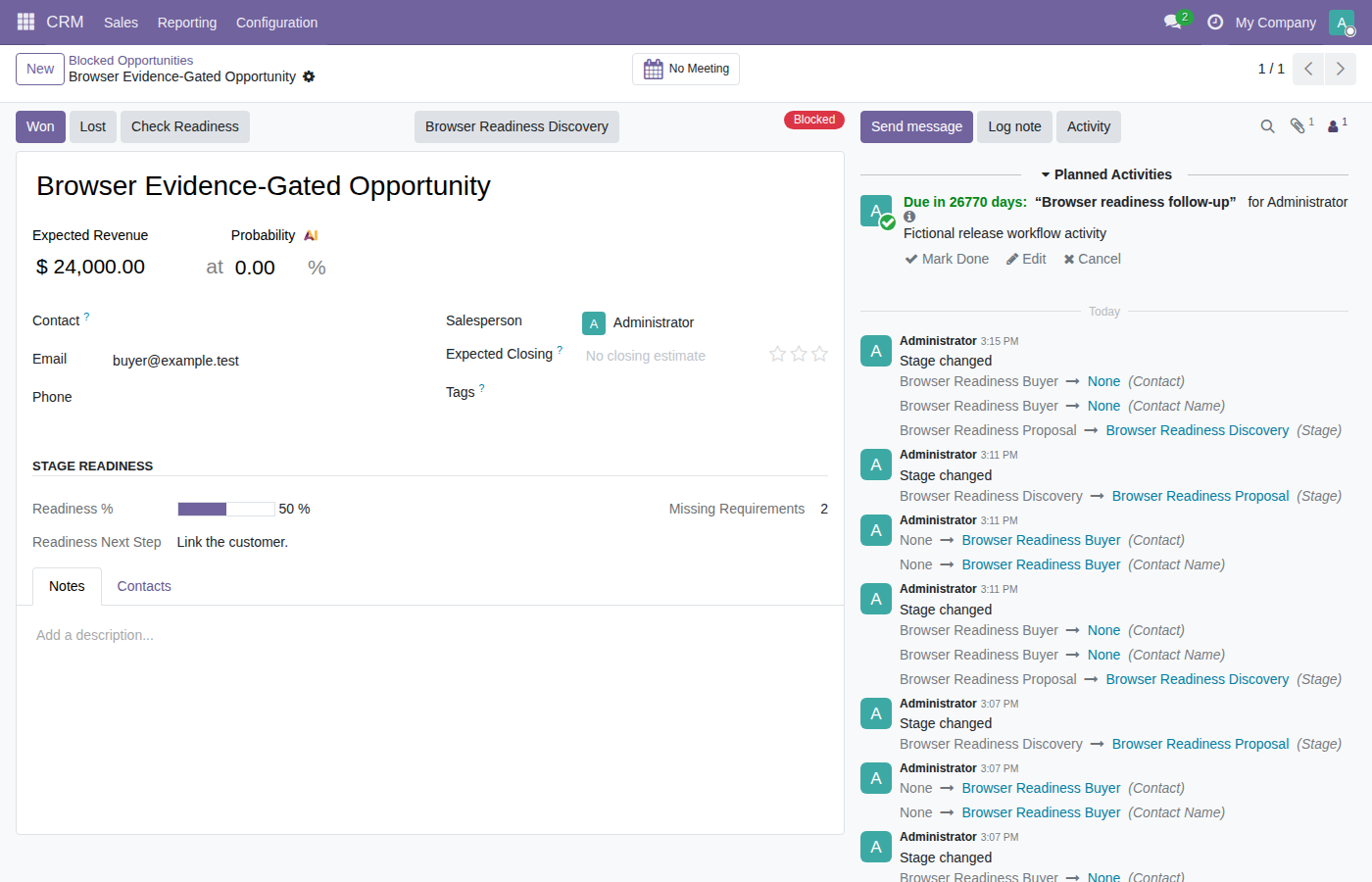
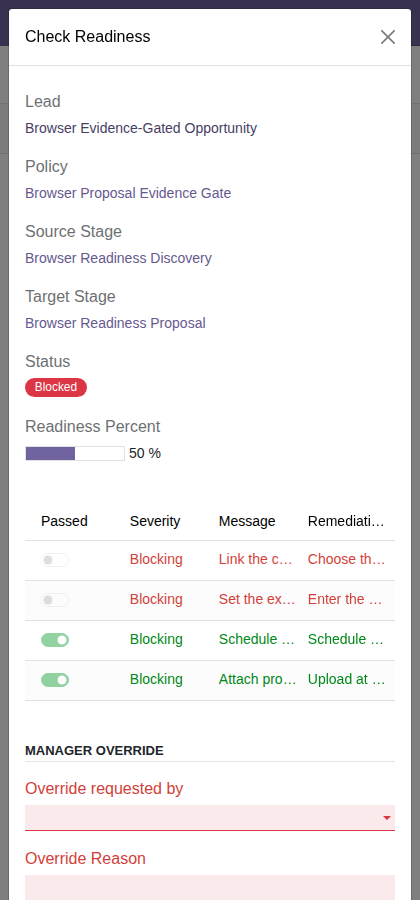
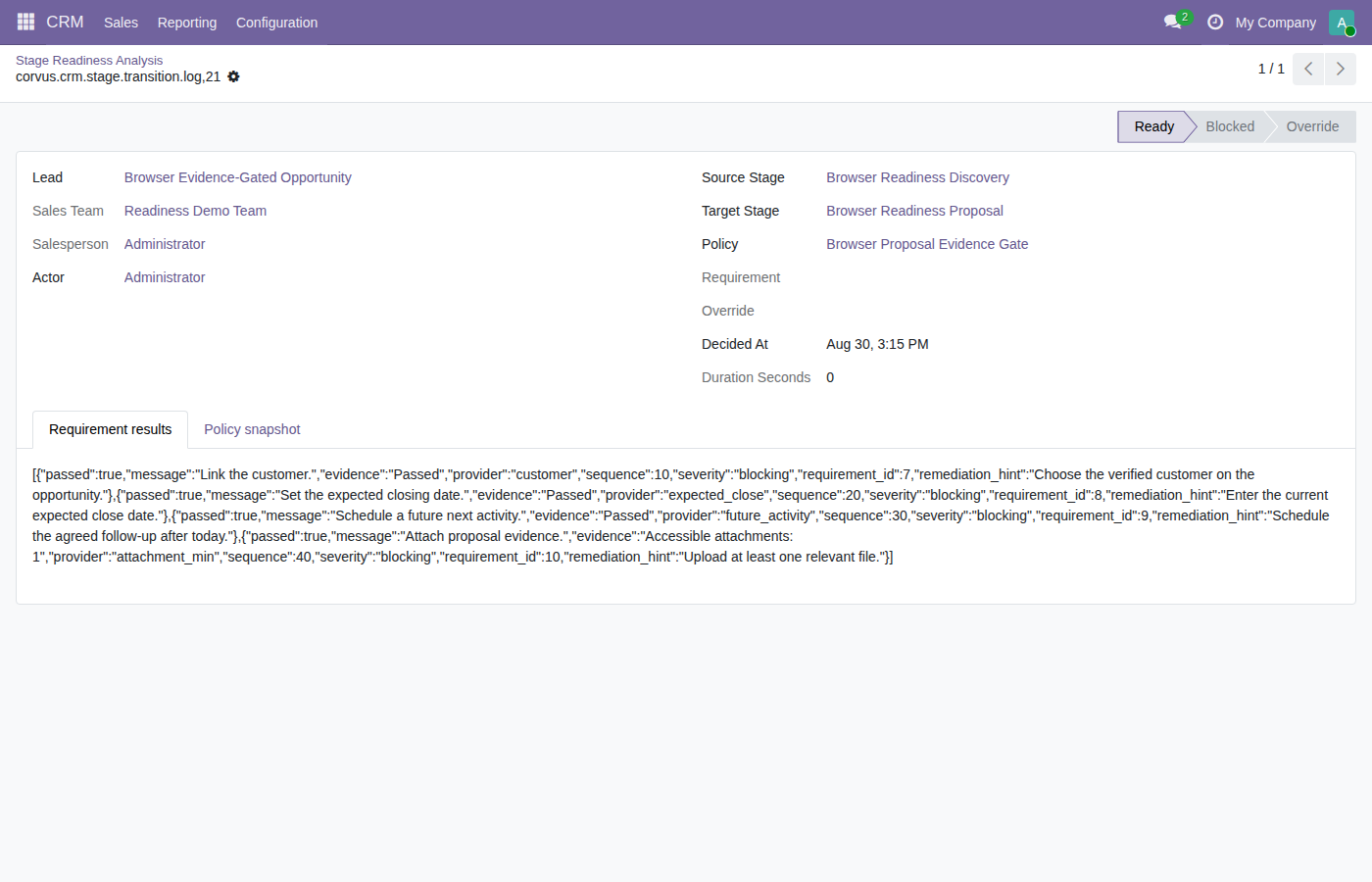
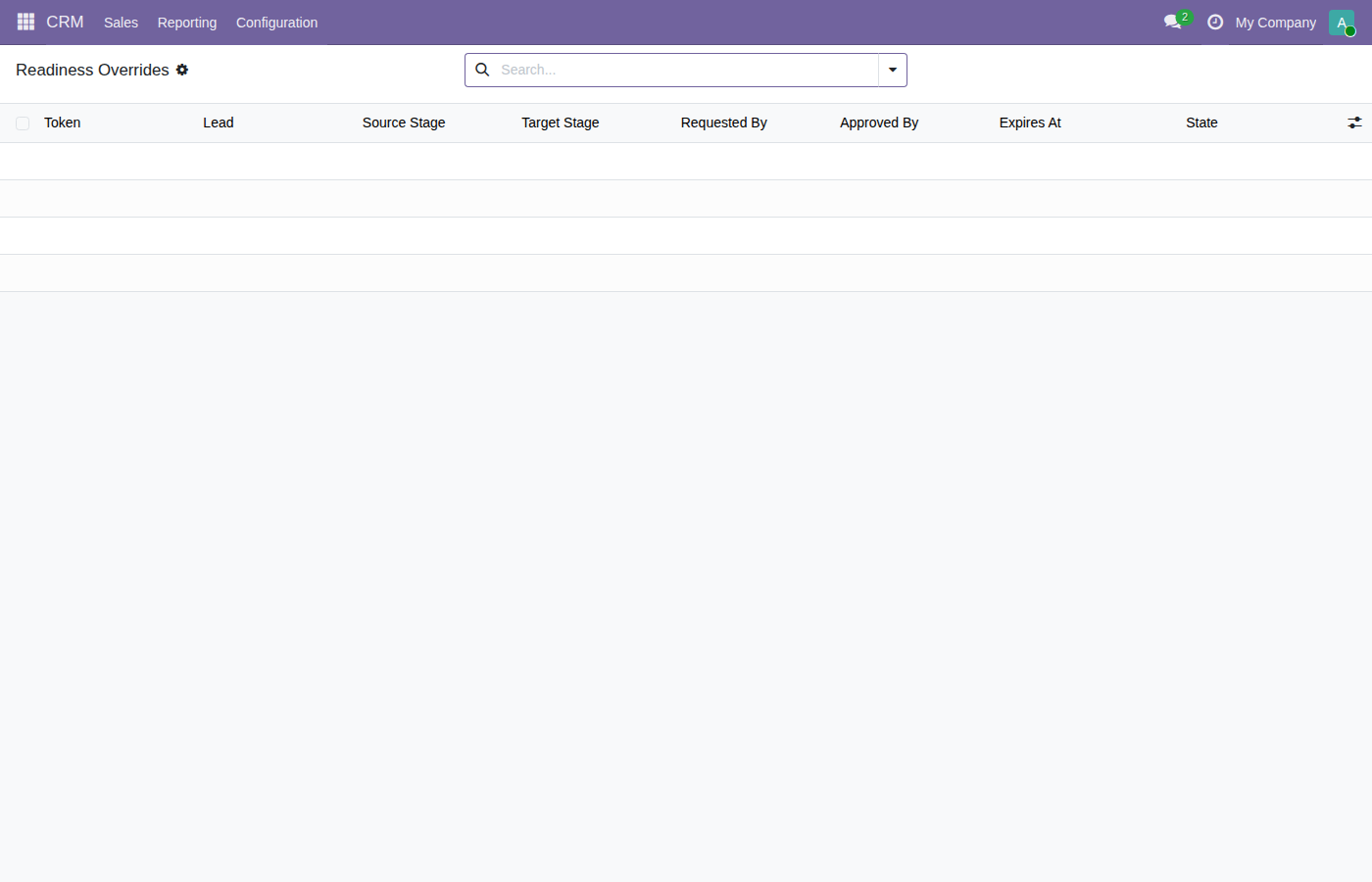
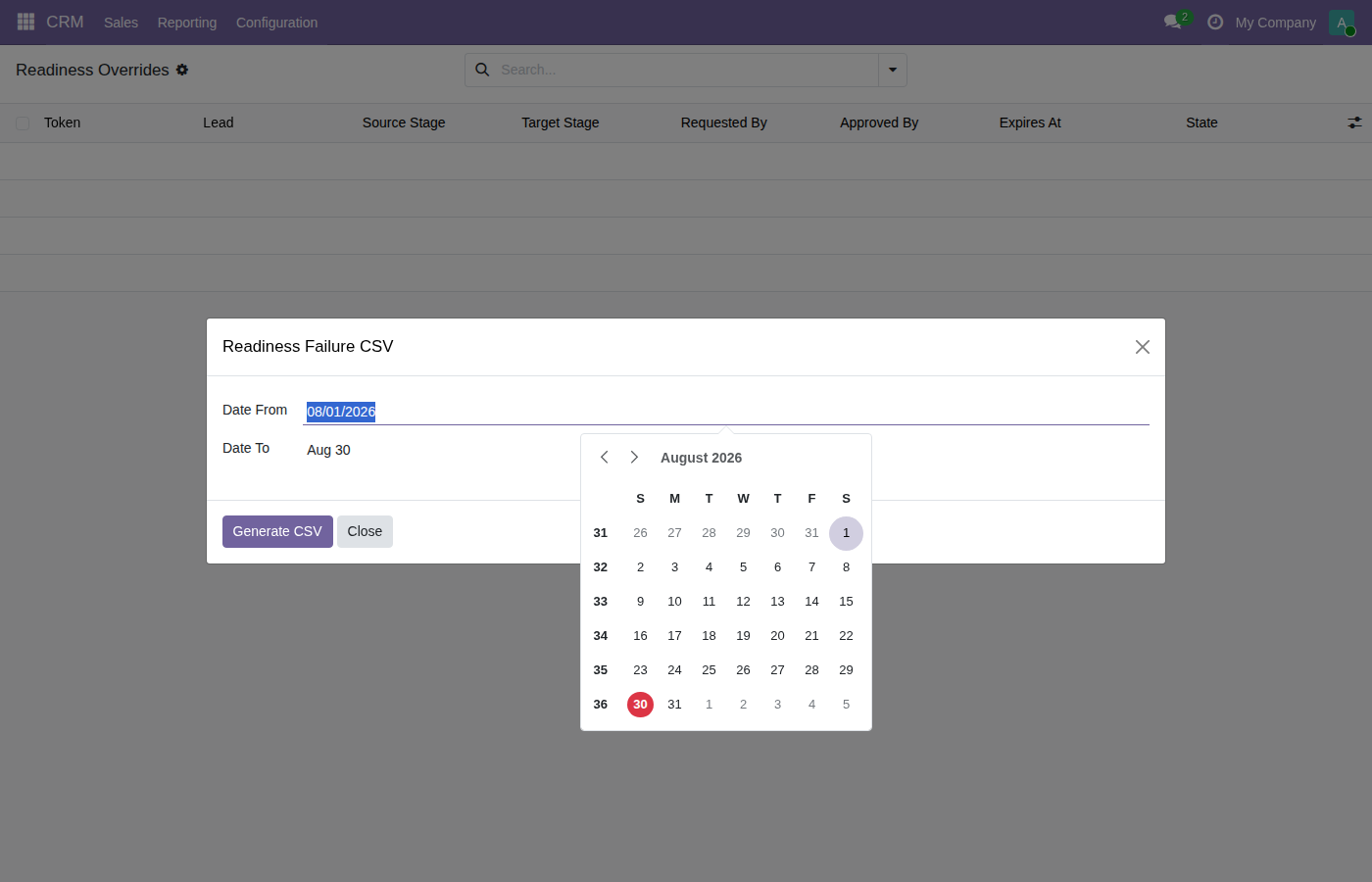
Make pipeline progress reflect the evidence on the opportunity. Moving a card to the next stage can make a pipeline appear healthier even when a contact, close date, proposal or next activity is missing. Managers need a way to make stage expectations clear without checking every opportunity manually. Define readiness requirements for the relevant stage transition. Salespeople see the missing items and corrective guidance, and controlled moves are checked on the server. A permitted manager override stays tied to the opportunity and policy evidence. Sales managers and opportunity owners who need consistent stage entry requirements and actionable follow-up queues. Illustrative workflow — the available actions depend on your configuration. A salesperson tries to advance an opportunity before attaching the required proposal. The readiness dialog explains the blocker. After adding the document and satisfying the remaining requirements, the opportunity can move through the native CRM workflow. The CRM Stage Readiness & Exception PDF shows the opportunity, transition, actor, policy, decision, override token, duration, evidence, and remediation. The manager-only Readiness Failure CSV export filters immutable blocked/override decisions by company and date range. The module does not add XLSX output. Explore the screens in sequence, from configuration to daily work and reporting. Each image includes a caption explaining its place in the workflow. This focused app does not provide an arbitrary Python condition builder, generic BPM engine, multi-department approval suite, electronic signatures, a document management system, automatic quotation generation, message delivery, or a replacement CRM. Required Odoo addons: CORVUS NEXUS APP PORTFOLIO Each app is independently licensed and designed around a focused business control. Explore focused Corvus apps for CRM, sales, purchasing, inventory, accounting, HR, reporting, and Point of Sale. Invoice attachment and vendor bill document control with mandatory receipts, journal rules, posting validation, exceptions, and audit history. Odoo budget control, spend requests, purchase commitments and actuals with approvals, encumbrance tracking, transfers, forecasts and period close. CRM lead response time and first-response SLA tracking with breach warnings, sales escalation, working calendars, priorities, and audit reports. CRM call logging, meeting outcomes, follow-up automation, activity completion, next-action scheduling, sales history, and reporting. CRM lead disposition and lost reason management for disqualification, nurture, recycle, junk, duplicates, cleanup, and automated follow-up. CRM lead qualification pipeline with scoring, readiness checks, review stages, conversion approval, blocked conversion, and qualification reports. CRM lead and opportunity handover with backup sales owner, temporary delegation, activity continuity, acceptance, restoration, and audit history. Employee expense policy and receipt validation with amount limits, duplicate detection, submission rules, manager exceptions, and compliance reports. Employee attendance correction requests for missing check-in or check-out, manager approval, overlap validation, HR audit, and anomaly reporting. Odoo payroll readiness and workforce time compliance: reconcile attendance, leave, schedules and work entries with exceptions, approvals and period l… Odoo inventory planning and replenishment control with time-phased demand, safety stock, multi-location supply, pegging, scenarios and draft actions. Odoo manufacturing cost control with standard cost rollups, MO actuals, WIP accounting, variance waterfall, alerts and controlled period close. POS cashier shift management with opening float, cash drawer counts, shift handover, expected balance, discrepancies, and cashier audit reports. POS customer data validation and invoice details control with required contact and tax fields, duplicate warnings, corrections, and exceptions. POS product and customer live sync with price, stock, image, variant, pricelist, tax and category updates plus offline catch-up for open terminals. POS return policy and refund control with receipt validation, return windows, duplicate refund prevention, reasons, and stock disposition. POS hold order and parked cart sharing with cross-terminal recall, cashier permissions, change reconciliation, edit locking, and recovery. Product archive control with stock checks, sales and purchase dependencies, MRP usage, safety warnings, bulk preview, blocking, and audit history. Multiple product barcodes and barcode aliases for POS, inventory and purchasing, including vendor SKU, manufacturer, legacy and packaging codes. Purchase order import from Excel, XLSX or CSV with vendor SKU matching, bulk RFQ lines, preview, validation, duplicate handling, and audit results. Purchase price history and vendor price change control with tolerance rules, unusual cost warnings, approval blocking, currency and UoM normalization. Odoo supplier commitment and procurement control with RFQ acknowledgements, line proposals, ASN reconciliation, deadlines and purchase exceptions. Purchase minimum order and free freight rules with vendor thresholds, quantity or amount checks, warnings, blocking, overrides, and audit reports. Disable Quick Create, Create and Edit, or linked record opening by user, group, model and field without modifying every Odoo view. Schedule Odoo reports by email with QWeb PDF, CSV and XLSX delivery, recipients, calendars, access-safe execution, retry logs, and report history. Customer purchase order reference validation with mandatory PO numbers, duplicate detection, sales order propagation, blocking, overrides, and audit. Sales margin and discount approval with minimum margin, maximum discount, quotation warnings, confirmation blocking, manager approval, and audit. Product substitute and alternative product finder for quotations with stock availability, pricing, approved replacements, reasons, and sales history. Sales minimum order quantity, MOQ, case pack, carton and quantity multiple rules with maximums, step validation, corrections, and website support. Available-to-promise and multi-warehouse stock availability for quotations with delivery dates, fulfillment options, shortages, and exception trackin… Stock reservation expiry and automatic unreserve with reservation timeout, owner warnings, urgent order protection, holds, extensions, and audit trai… Customer shelf life and lot expiry control for deliveries with minimum remaining life, FEFO eligibility, blocking, overrides, and compliance reports. Internal stock transfer approval with quantity and value thresholds, manager authorization, warehouse rules, request history, and audit trail. Vendor scorecard and supplier performance rating from purchase orders and receipts, including on-time delivery, quality, quantity, price, and trends. Extend Odoo messaging with provider gateways, inbound routing, MMS, campaign, workspace, and conversation tools. Bandwidth SMS gateway activation for Odoo ClickSend SMS gateway activation for Odoo CM.com SMS gateway activation for Odoo LoopMessage SMS gateway activation for Odoo MessageBird SMS gateway activation for Odoo Shared MMS media handling for inbound and outbound messaging Nexmo SMS gateway activation for Odoo Plivo SMS gateway activation for Odoo SMS campaign inbox, reply handling, and lead conversion for mass mailing CRM chatter SMS/MMS inbox mode with per-number tabs Floating SMS inbox panel with per-customer document routing Two-way SMS for Odoo with Twilio, Telnyx, LoopMessage and other gateways, dynamic inbound webhooks, CRM and contact routing, SMS inbox fallback, mult… LoopMessage lookup bridge with inbox-based device intelligence Complete SMS/MMS workspace with inbound routing, messaging, and conversation tools. Translation and language automation for Odoo messaging workflows. Suite workspace base: advanced composer UX, chatter controls, and conversation operations Telnyx SMS gateway activation for Odoo Twilio SMS gateway activation for Odoo Vonage SMS gateway activation for Odoo Clear product help, implementation guidance, and separately scoped Odoo services from one experienced team. Send the product name, Odoo version and edition, clear reproduction steps, and sanitized logs. Please do not send passwords, tokens, or customer data. Email: support@corvusnexus.com WhatsApp: +44 740 4228172 Website: corvusnexus.com Corvus Nexus provides implementation, custom module development, upgrades, integrations, hosting guidance, performance work, and workflow optimisation. Services are scoped separately. Corvus Nexus Technologies LTD Office 16564, 182–184 High Street North, East Ham, London E6 2JACRM Stage Validation
The problem this app solves
Who it is for
Features that support your daily work
A practical example
How the workflow works
Configuration and navigation
Reports and exports
See the workflow in Odoo
Compatibility
Version Odoo 15.0 Editions Community and Enterprise Required app crmOptional capabilities sale_crm quotation evidence and Documents categorisation when installedDeployment Odoo.sh or private/on-premise hosting Online Not compatible with Odoo Online; server-side lifecycle enforcement and immutable audit models require a standard module. Clear limits
Installation prerequisites
crm, base_sparse_field.Build the Odoo workflow that fits your operation
Business operations collection
Invoice Attachment Rules
Budget & Spend Control
CRM Lead Response SLA
CRM Calls & Follow-Up
CRM Lead Nurture
CRM Lead Qualification
CRM Salesperson Handover
Expense Receipt Rules
Attendance Corrections
Payroll Readiness Checks
Inventory Replenishment
Manufacturing Cost & WIP
POS Cashier Shift Control
POS Customer Data Checks
POS Live Data Sync
POS Returns & Refunds
POS Shared Saved Carts
Product Archive Checks
Multiple Product Barcodes
Purchase Order Import
Purchase Price History
Supplier Commitments
Purchase MOQ & Freight
Disable Quick Create
Scheduled Report Emails
Customer PO Validation
Sales Margin & Discounts
Product Substitutes
Sales MOQ & Pack Rules
Multi-Warehouse Stock ETA
Stock Reservation Expiry
Delivery Shelf Life Rules
Stock Transfer Approvals
Vendor Performance Scores
Messaging and gateway collection
Bandwidth SMS Gateway
ClickSend SMS Gateway
CM.com SMS Gateway
LoopMessage SMS Gateway
MessageBird SMS Gateway
MMS Media & Attachments
Nexmo SMS Gateway
Plivo SMS Gateway
Bulk SMS Marketing
SMS Chatter Conversations
Floating SMS Chat
Two-Way SMS & CRM Inbox
Phone Lookup: LoopLookup
SMS & MMS Messaging Suite
SMS Language Translation
SMS Inbox & Composer
Telnyx SMS Gateway
Twilio SMS Gateway
Vonage SMS Gateway
Product support and Odoo services
Need product help?
Planning a wider Odoo project?
LICENSE contains the applicable terms.